
This summer release creates your documents automatically in your own templae, make the pre-consultation chat easier for patients, and makes your calendar faster to work with.
Intake · Answering in the chat is easier for patients
Until now, tapping a suggested answer sent it straight away, so patients couldn't pick more than one option or add their own explanation. Patients now decide for themselves when their answer is complete and can see how far along they are. That gives you more complete information before the consultation.
How it works:
- Patients tap a suggested answer to select it, and tap again to deselect it.
- They can select several suggestions and add their own text.
- Nothing is sent until they press the send button.
- For scale questions, such as a pain score from 0 to 10, patients can use a slider on their computer or smartphone.
- A progress bar shows patients roughly how far along they are in the conversation.

Output · Letters created automatically in your own Word template or on your letterhead
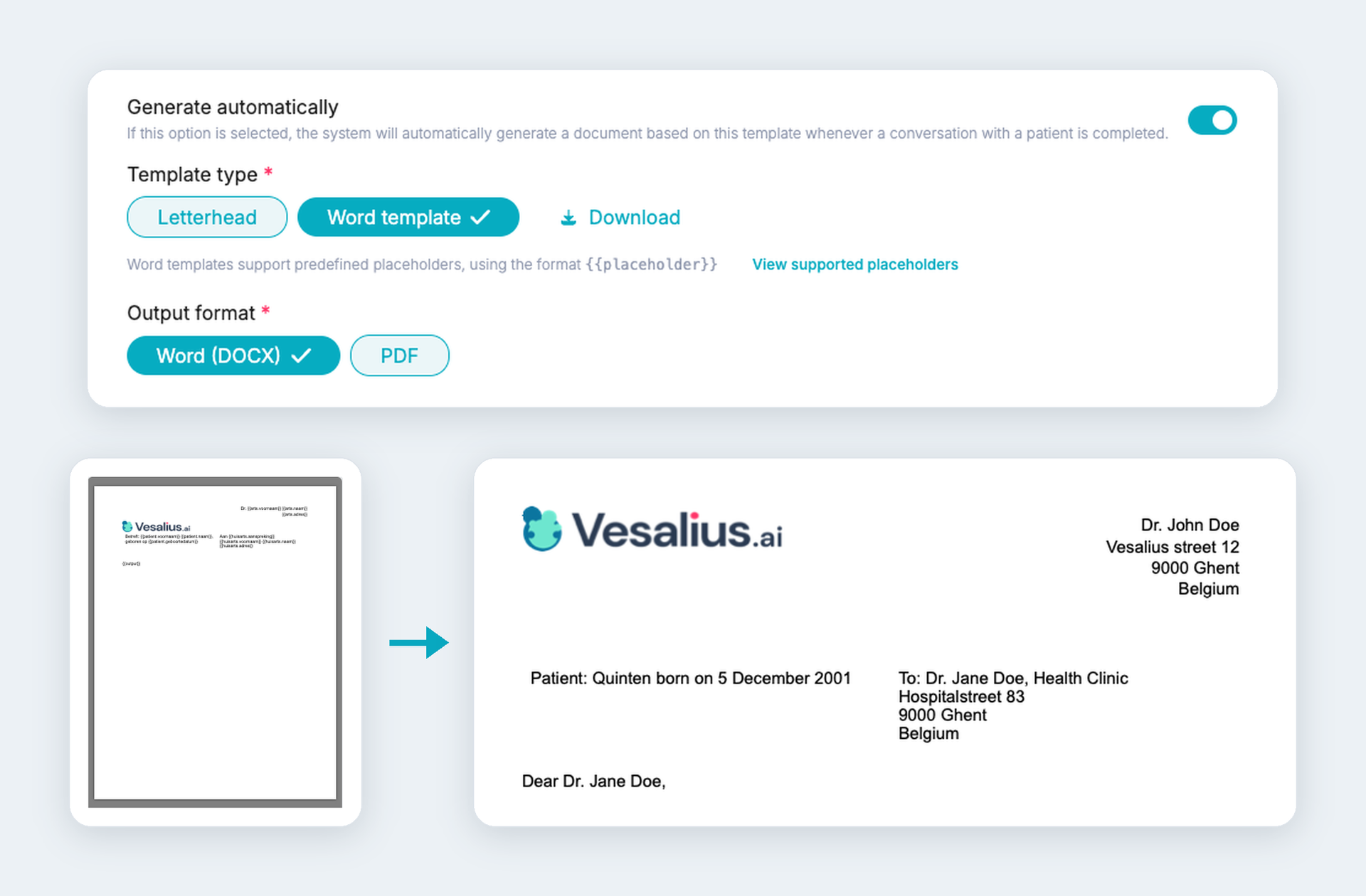
No more copying the consultation note into a letter by hand. Vesalius creates the document for you in your own house style, with the patient, GP and doctor details already filled in.
How it works:
- Go to Settings > Output templates and create a tab for each type of document, such as a letter to the GP.
- Choose between your own Word template or your letterhead and upload the file. A Word template is checked as you upload it, and anything that isn't recognised is flagged right away.
- Choose whether the document is created as a Word file or a PDF.
- Switch on "Auto-generate" and the document appears in the Documents tab as soon as the output is ready.
- If you create a document again, the previous version is kept.
Coming soon
Intake by voice (beta)
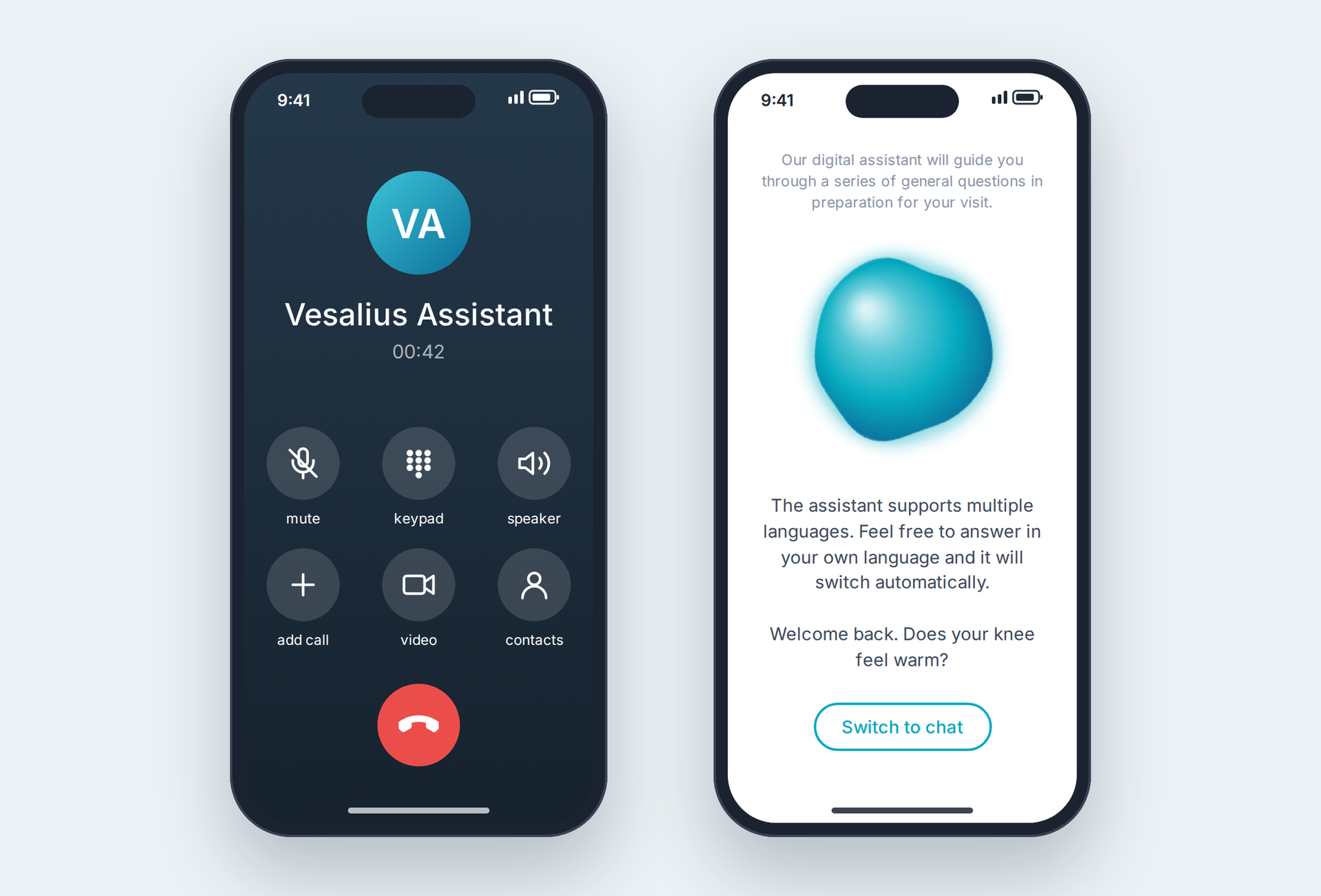
Not every patient likes to type. We're testing a voice mode for the pre-consultation chat, where patients speak their answers and hear the questions read aloud. The intake stays exactly the same, only now by voice.
Phone system (alpha)
We're building a phone system that works together with Vesalius. Incoming calls will appear in one overview, with a short summary of each call, so you can see at a glance who called and why. We're currently testing this in alpha and will share more soon.
Want to be among the first to try one of these? Let us know.
Other improvements
Triage/screening
- You can archive completed screenings and find them again with a filter.
- You can set a screening to "Closed" and filter on that status.
- You can permanently delete a screening.
Intake
- The chat page is clearer, with a properly placed send button and suggestions that no longer cover the question.
- The privacy policy is shown in the patient's language: Dutch, French or English.
- When inviting a patient, you can choose a PICO link instead of a questionnaire.
Consultation
- Scribe is switched on automatically for every new registration.
Output
- A thumbs up or thumbs down lets you give quick feedback on the output.
- Every new organisation starts with a standard document that is ready to use.
Calendar
- Every appointment automatically gets an interaction, so you can click through from the calendar to take notes.
- You choose which hours your calendar shows, so you no longer scroll through empty hours.
- Free slots for each appointment type are shown in the calendar and can be booked in one click.
- You can change the length of an appointment while booking it.
- All available time slots are visible in the patient booking link, and past slots are no longer offered.
- The settings for cancellations and cancellation reasons are clearer.
- Booking appointments is more reliable, and the reminder email is always sent after the invitation email.
General
- An icon in the interactions overview shows which interactions have attachments.
- International phone numbers are displayed correctly.
- Vesalius works smoothly with several tabs open at the same time.